Search for free Canva Pro and you will find Telegram channels and websites selling “lifetime” invite links for a few hundred rupees, or offering them free. There are legal ways to use Canva’s premium features without paying, but they depend on who you are: a school teacher, a student, a registered nonprofit or a member of a paid team.
This guide lists the legal routes, who qualifies, and why the shortcut links cause problems.
Table of Contents
Start with what Canva Free already includes
Canva’s free plan covers a lot of what most people need: thousands of templates, basic photo editing, social media sizes and downloads. Before chasing Pro, check whether the free plan does the job.
4 legal ways to get Canva Pro features free
1. Canva Education for school teachers and students
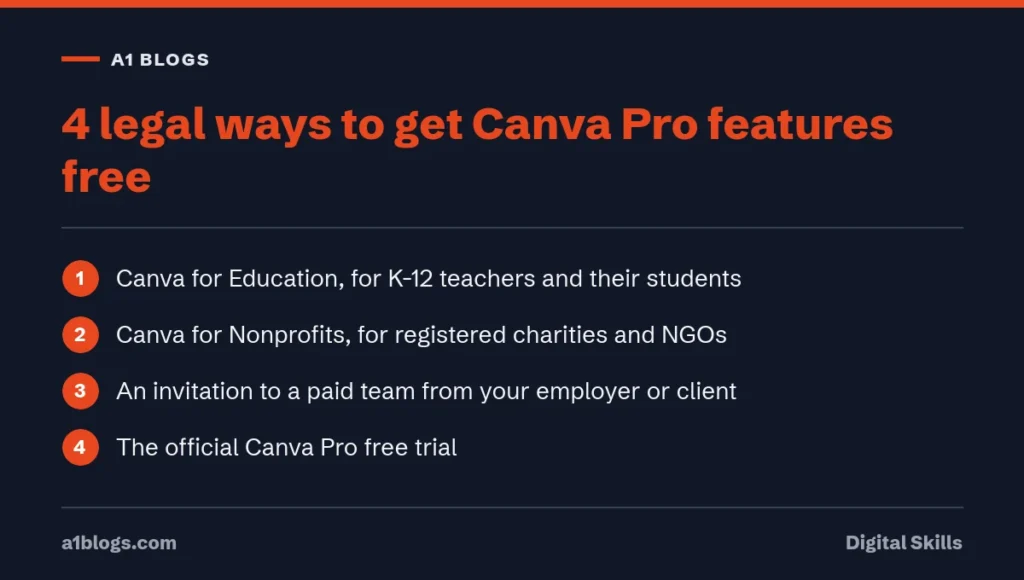
Canva Education is free for K-12 (primary and secondary) teachers, their students and qualified schools and districts. Canva says most of its premium features are included. Teachers sign up with an education email or upload proof of employment, and Canva says it verifies accounts within a few days. Students can’t sign up on their own; their teacher invites them (Canva Education).
University students are not covered by Canva Education. Canva offers a separate product for higher education called Canva Campus, which a university or college arranges for its students.
2. Canva for Nonprofits
Registered nonprofits, NGOs and social impact organisations can get free access to all of Canva Pro’s premium features for one team of up to 50 people. Government agencies, political organisations, educational institutions and for-profit companies are not eligible, and each country has its own documents to provide (Canva for Nonprofits).
3. Joining a paid team
If your employer, client or agency pays for Canva Teams, they can invite you to the team. You then use the team’s premium features while you work with them. This is the legal version of the “team invite” links sold online: the payer is someone you work with.
4. Free trials
Canva regularly offers a free trial of its paid plans. Check the trial length shown in your account, set a reminder, and cancel before it ends if you don’t want to pay.
Why cracked Canva Pro links are a bad idea
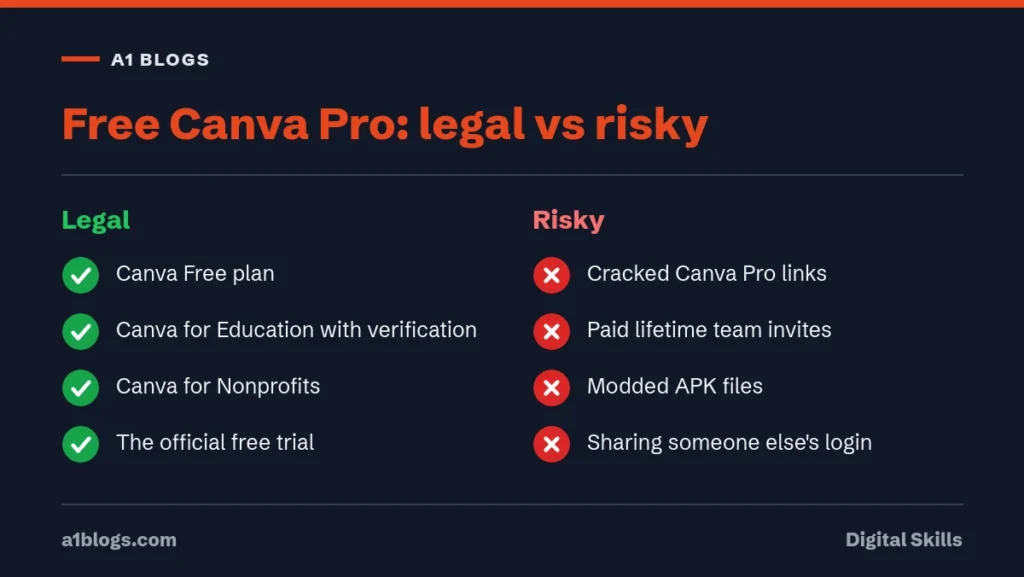
The cheap or free “lifetime Canva Pro” links usually add you to someone else’s team. That has three problems:
- You are a guest in an account you don’t control. When the owner removes you or the team is shut down, premium elements in your designs can stop working
- Selling access to a paid service this way is likely to break Canva’s terms, so the team can be closed without notice
- Sites offering modified Canva apps or “Pro unlock” files are a common way to spread malware
For freelancers, there is also a professional risk. If you design for clients, you need a licence you can rely on. Our guide to freelancing on Fiverr explains why clients care about this.
Free alternatives if you don’t qualify
If none of the legal routes fit, combine Canva Free with other free tools: free stock photo sites, free icon libraries and AI image tools. Our list of the best free AI tools includes design options.
Canva Free vs Canva Pro: what you actually get
Before chasing free Canva Pro, it helps to know exactly what the paid plan adds. Many people find Canva Free covers most of what they need, while others rely on one or two Pro tools every day.
Canva Pro adds, among other things:
- Premium content. A much larger library of photos, videos, graphics, fonts and templates. On Canva Free, premium items show a crown icon and carry a watermark until you pay for them.
- Background Remover. One click removes the background from a photo, which is useful for product images, thumbnails and profile pictures.
- Magic Switch. Resize a design into other formats, such as turning a post into a story, a banner and a presentation slide, in one go.
- Brand Kits. Save your logos, colours and fonts so every design stays on brand.
- More storage. Canva Pro gives far more cloud storage than the free plan, which matters if you upload lots of video.
- Content Planner. Schedule posts to connected social accounts straight from Canva.
- More AI uses. Canva’s AI tools are available on both plans, but Pro and Canva for Education include higher usage limits.
If you mainly make social posts from templates and use your own photos, Canva Free may be enough. If you design for clients or post every day, the time Canva Pro saves usually matters more than the price.
How teachers in Pakistan can apply for Canva for Education
Canva for Education is free for eligible primary and secondary school teachers and their students, and it includes the Canva Pro features listed above plus classroom tools. Here is how to apply.
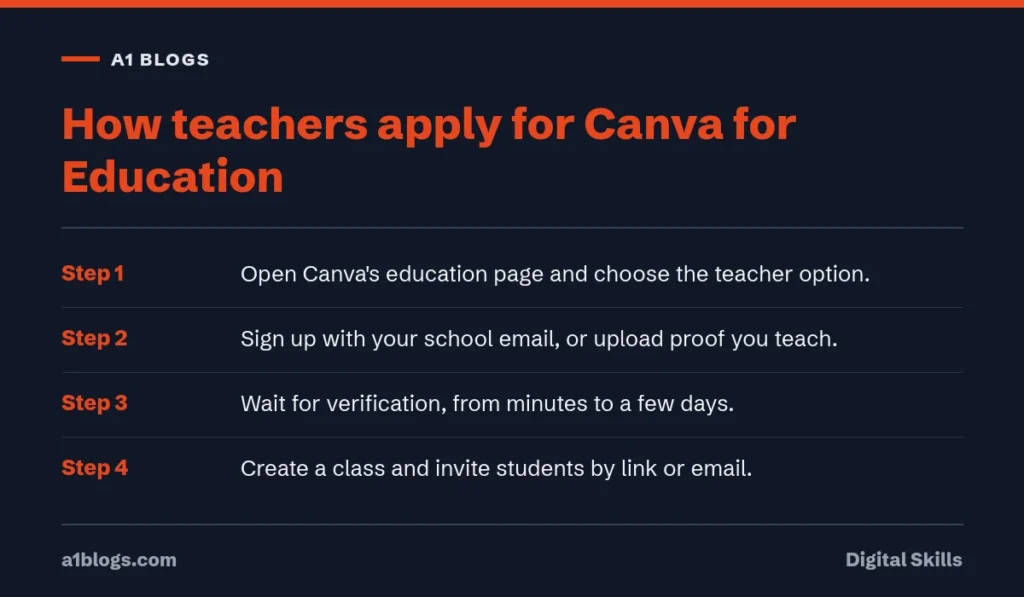
- Go to Canva’s education page and choose the option for teachers.
- Sign up with your school email address if your school has one. It speeds up verification.
- If you don’t have a school email, upload proof that you teach at a school, such as an employment letter, a school ID card or a certificate of employment.
- Wait for Canva to review your application. It can take from a few minutes to several days.
- Once you are verified, create a class and invite your students by link or email. Students get access through your class.
Canva for Education is meant for K-12 schools, which in Pakistan means schools up to matric and intermediate level. University teachers and students usually don’t qualify for the free plan, because Canva offers a separate paid product for higher education. Students can’t apply on their own; a verified teacher has to invite them.
Use Canva for Education only for teaching. Canva can remove access if it finds an account used for business work.
How to apply for Canva for Nonprofits
Registered nonprofits can get Canva Pro features free for their team through Canva for Nonprofits. The process is straightforward if your paperwork is in order.
- Go to Canva’s nonprofits page and start an application while logged in to the account you want to upgrade.
- Enter your organisation’s details exactly as they appear on your registration documents.
- Upload proof of registration. In Pakistan that might be an SECP Section 42 licence, a trust deed, or registration under the relevant societies or social welfare law.
- Wait for verification, which Canva may carry out through a partner service.
- Once approved, invite your staff and volunteers to the team.
Canva says the programme isn’t open to every type of organisation. Political parties, religious organisations whose main purpose is worship, and some others are usually excluded, so check the eligibility list on Canva’s site before you apply.
Get the most out of Canva Free
If you don’t qualify for free Canva Pro, you can still produce professional designs on the free plan with a few habits.
- Filter for free content. When you search for templates, photos or elements, use the filter to show only free items, so you don’t fall in love with something watermarked.
- Bring your own photos. Your own product photos, screenshots and pictures from free stock sites look more authentic than stock images anyway.
- Remove backgrounds elsewhere. Free tools such as Photopea or your phone’s built-in subject cutout can remove backgrounds, then you can upload the result to Canva.
- Make your own brand template. Create one design with your colours, fonts and logo, then duplicate it for every new post instead of starting from scratch.
- Resize by duplicating. Without Magic Switch, copy a design and adjust it to a new size by hand. It takes a few extra minutes but works.
- Use free AI uses wisely. Canva Free includes a limited number of AI uses. Save them for tasks that would take longest by hand.
Is Canva Pro worth paying for in Pakistan?
Canva sets prices by region, so check the current monthly and yearly price in the app or on Canva’s pricing page with your location set to Pakistan. You can pay with a debit or credit card that has international online payments enabled.
Canva Pro is usually worth it if you:
- Design for paying clients, for example as a freelancer on Fiverr or Upwork.
- Run a business that posts on social media every day.
- Need Background Remover, Magic Switch or Brand Kits several times a week.
It is usually not worth it if you make a few designs a month or mainly use your own photos. Start with the official free trial to test whether the Pro tools save you real time. If you are building a design business, our guide to starting freelancing on Fiverr explains how to win your first orders, and the earnings can cover Canva Pro quickly.
Using Canva designs commercially
Canva’s content licence allows you to use both free and Canva Pro content in designs for commercial purposes, such as social media posts for a client or flyers for your shop. There are limits worth knowing:
- You can’t resell Canva templates, photos or elements on their own, or with only minor changes.
- You can’t register a trademark for a design that includes Canva stock content. For a logo, use your own shapes and fonts that allow logo use.
- Premium items need an active Canva Pro, Teams or Education licence when you use them. If you lose access, watermarks return on those items.
- Photos of identifiable people can’t be used in a way that suggests they endorse your product or in sensitive contexts.
Read Canva’s content licence before you sell designs. It is short and clearer than most legal documents.
Design tips that make free designs look professional
Expensive tools don’t make good design. A few basic rules matter far more than premium templates, and they work on any plan.
- One message per design. Decide the single thing a viewer should take away, such as a price, a date or an offer, and make it the biggest element.
- Two fonts at most. Use one bold font for headings and one simple font for body text. More than two looks messy.
- Strong contrast. Dark text on a light background, or light text on a dark one. Avoid putting text straight onto busy photos; add a solid shape behind it instead.
- Plenty of space. Leave empty room around the edges and between elements. Crowded designs feel cheap.
- Line things up. Use the alignment guides that appear as you drag elements. Neat edges are the quickest way to look professional.
- Limit your colours. Pick two or three brand colours and an accent. Save the hex codes so you use the same shades every time.
- Check on a phone. Most people will see your design on a small screen. Zoom out to phone size and make sure the main text is still readable.
Follow these and a free template can look better than a premium one used carelessly.
What small businesses in Pakistan should design first
If you run a shop, a home business or a service, these designs bring the most value for the time they take. All can be made on the free plan.
- A price list or menu you can share on WhatsApp and pin on Facebook. Update it whenever prices change.
- WhatsApp catalogue images with the product on a plain background and the price clearly shown.
- A Facebook and Instagram cover that says what you sell and how to order.
- A template for offers, such as Eid, 11.11 or end-of-season sales, so you only change the text each time.
- Business cards and flyers for printing locally. Download as PDF Print for the best quality.
- Short video templates for Reels and Stories, using your brand colours and fonts.
Make each one as a template you can duplicate. Consistent designs help customers recognise your posts before they read the name.
Keep your Canva account secure
Canva accounts hold client work and brand files, so they are worth protecting.
- Turn on two-step verification in your account settings.
- Never accept team invitations from people you don’t know. Some sellers of so-called lifetime access add buyers to teams they can remove at any time, along with access to the designs.
- Check the Teams section in settings and leave any team you don’t recognise.
- Don’t log in through links sent in messages. Type the address yourself.
- Download copies of important designs, so you aren’t stuck if you lose access to a team.
Free tools that pair well with Canva
Canva works best as the place where everything comes together. These free tools fill the gaps, whichever plan you are on.
- Pexels and Unsplash for high-quality photos you can use in commercial work without paying.
- Photopea, a free browser-based editor for detailed photo work like retouching, masks and layers.
- CapCut for longer or more complex video edits, which you can then bring into Canva for titles and branding.
- Coolors for building a colour palette and copying the hex codes into your designs.
- Your phone’s photo app, which on many newer phones can lift a subject out of its background with a long press.
- Google Drive for keeping backup copies of finished designs and source photos.
Used together, these cover most of what people want from paid design software, without any cracked downloads.
Frequently asked questions
Can university students get free Canva Pro?
Canva Education is for K-12 schools only. University students can get premium features if their institution has Canva Campus, or through a team their employer or client pays for.
Is Canva for Education the same as Canva Pro?
Canva says most of Canva’s premium features are included in Canva Education, along with tools for teachers. It is free for eligible K-12 teachers and students.
Are Canva Pro team invite links legal?
Invites from a team you work with are fine. Links sold or shared publicly by strangers are a different matter and can stop working at any time.
How do I get Canva for Nonprofits?
Your organisation must be a registered nonprofit, NGO or social impact organisation. Apply through Canva’s nonprofit page and provide the documents required in your country.
What happens to my designs when the Canva Pro trial ends?
Your designs stay in your account. Any Pro templates, photos or elements in them will show watermarks, and Pro-only tools like Background Remover stop working until you subscribe or replace those items with free ones.
Can freelancers get free Canva Pro?
Not through an official freelancer programme. Freelancers can use the free trial, Canva Free, or be added to a client’s paid team for that client’s work. For regular client work, paying for Canva Pro is the safe choice.
Is Canva for Education the same as Canva Pro for students?
It includes the main Canva Pro features, but it is designed for classrooms and controlled by teachers. Students need an invitation from a verified teacher at an eligible school.
Can I use Canva on more than one device?
Yes. The same account works on the website, the desktop app and the phone app, and your designs sync between them. Your plan, free or paid, applies on every device you sign in to.